Short answerSet up one shared gallery before the wedding and put a QR code on every table. Guests scan it and add photos and videos from their phones during the party. Ask once out loud, remind once the next morning, then download every original in full resolution.
Why it's so hard to get photos from guests
Everyone takes photos at weddings. Almost nobody sends them. The photos stay on 100 different phones, and the few that arrive come through WhatsApp, squashed to a fraction of their size. The videos, the best part, almost never arrive at all.
The fix isn't nagging. It's making sharing take ten seconds, at the moment people are already holding their phones.
Your options, honestly compared
| Method | What guests need | Quality | Catch |
|---|---|---|---|
| QR code photo gallery | Their phone's camera | Originals | None |
| iCloud Shared Album | An invite; Android via iCloud.com | Full res in new albums | 100 people max; counts against your iCloud storage |
| Google Photos shared album | A Google account to add | Depends on each guest's settings | Uses each guest's Google storage |
| WhatsApp group | WhatsApp, and they share their number | Compressed by default | Photos get lost in the chat |
| Disposable cameras | Nothing | Hit or miss | ~$25–30 per camera with developing, no videos, weeks to see them |
| Instagram hashtag | An Instagram account, a public post | Compressed | Public, and only the few posted photos |
The step-by-step that works
1. Create the gallery a few weeks before
It has to exist before the first photo is taken. Test it yourself and with two friends so you know exactly what guests will see.
2. Put the QR code where people already look
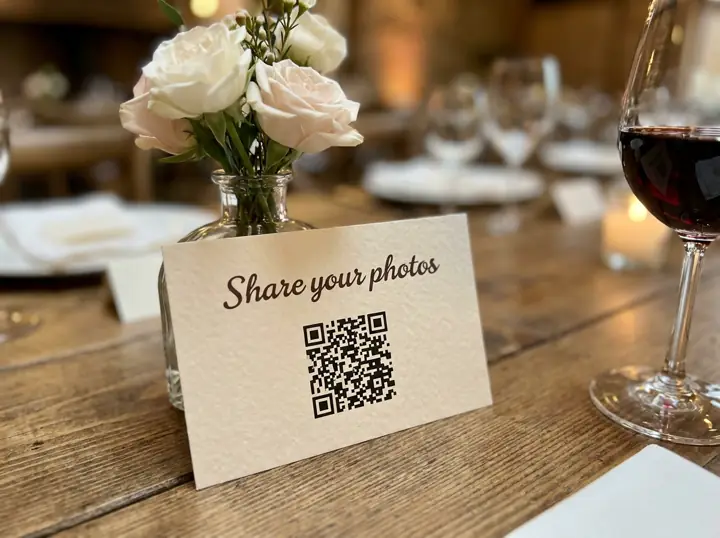
One card per table, one at the bar, one by the guest book. Add the link to your wedding website and the guest group chat. Our free QR card maker makes a print-ready card in a minute.
3. Ask once, out loud
Right after the speeches, phones are out anyway. One sentence from the MC beats ten signs:
"Took a photo tonight? Scan the card on your table and add it to Maya and Leo's album. Videos too!"
4. Send one reminder the next morning
Thank you for celebrating with us! 💛 If you took any photos or videos yesterday, we'd love them: [your link]. It takes ten seconds and no app.
5. Download everything, in full resolution
When the uploads slow down, download all the originals and put them somewhere safe: Google Drive, an iCloud album, a hard drive or your photographer's delivery folder. Then you can post your favourites anywhere.
Sources: WhatsApp photo resizing (Viallo, iDownloadBlog); disposable camera costs (Scene, SlashGear); iCloud limits (Apple).