Short answerYou put a small card with a QR code on every table. Guests point their phone camera at it, the gallery opens in their browser, and they add photos and videos in seconds, with no app and no account. Everything lands in one private album you can download in full resolution.
How it works for your guests
- They open the camera and point it at the card.
- Your gallery opens in the browser. They type their name, or stay anonymous.
- They tap "Add photos & videos" and pick from their camera roll, or shoot something new.
- Everyone sees the album filling up through the night.
What to write on the card
Keep it to one invitation and one instruction. Copy any of these:
Share your photos with us 📸 Scan to add your photos and videos to our wedding album. No app needed.
Be our photographer! Scan the code and add everything you capture tonight, videos too.
Help us remember every moment 💛 Scan, add your photos and videos, and see everyone else's.
Add your names and the date, and you're done. The free QR card maker lays it all out, print-ready.
Where to put the cards
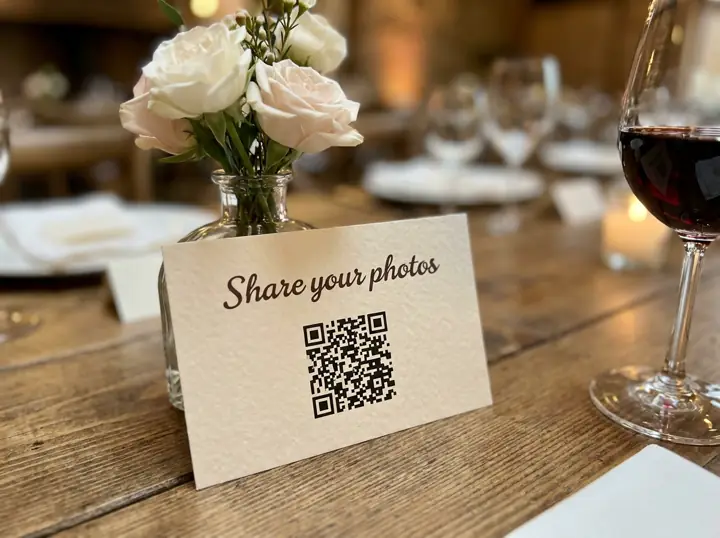
- Every guest table: the most important spot by far.
- The bar: people wait there, phones in hand.
- The guest book and photo booth: natural "memory" moments.
- Your wedding website and group chat: for guests who want to add photos later.
Mistakes that stop guests uploading
- Requiring an app or an account. Half your guests will give up.
- QR codes that are too small or printed on glossy, reflective card under dim lights. Test the printed card before the day.
- Only asking after the wedding. The best moment is during the party; the morning after is your one reminder.
- Using a link that expires. Make sure the gallery stays open for a few weeks afterwards.